






To configure the Bat-BMS app safely, enable Bluetooth, pair using passcode 1234, and immediately update Level 2 admin keys to block remote shutdowns. This bat-bms app manual details the step-by-step procedures to secure your Li-ion or LiFePO4 battery telemetry link layers.
Unsecured radio connections allow local devices to toggle the main discharge MOSFET array off under load, dropping line voltage instantly. Field engineers and procurement managers must override factory presets to prevent mid-transit power failures and secure enterprise hardware deployments.

How to Use the Bat BMS App Safely
Configuring a wireless battery requires the management interface to follow a strict procedural order. Skipping initialization sa teps can lock your diagnostic terminal out of the primary control circuit. Follow this sequential method to build an authorized data connection with your battery pack.
1234 To open the low-level data link layer.Technical Operation: How the Bat BMS App Works
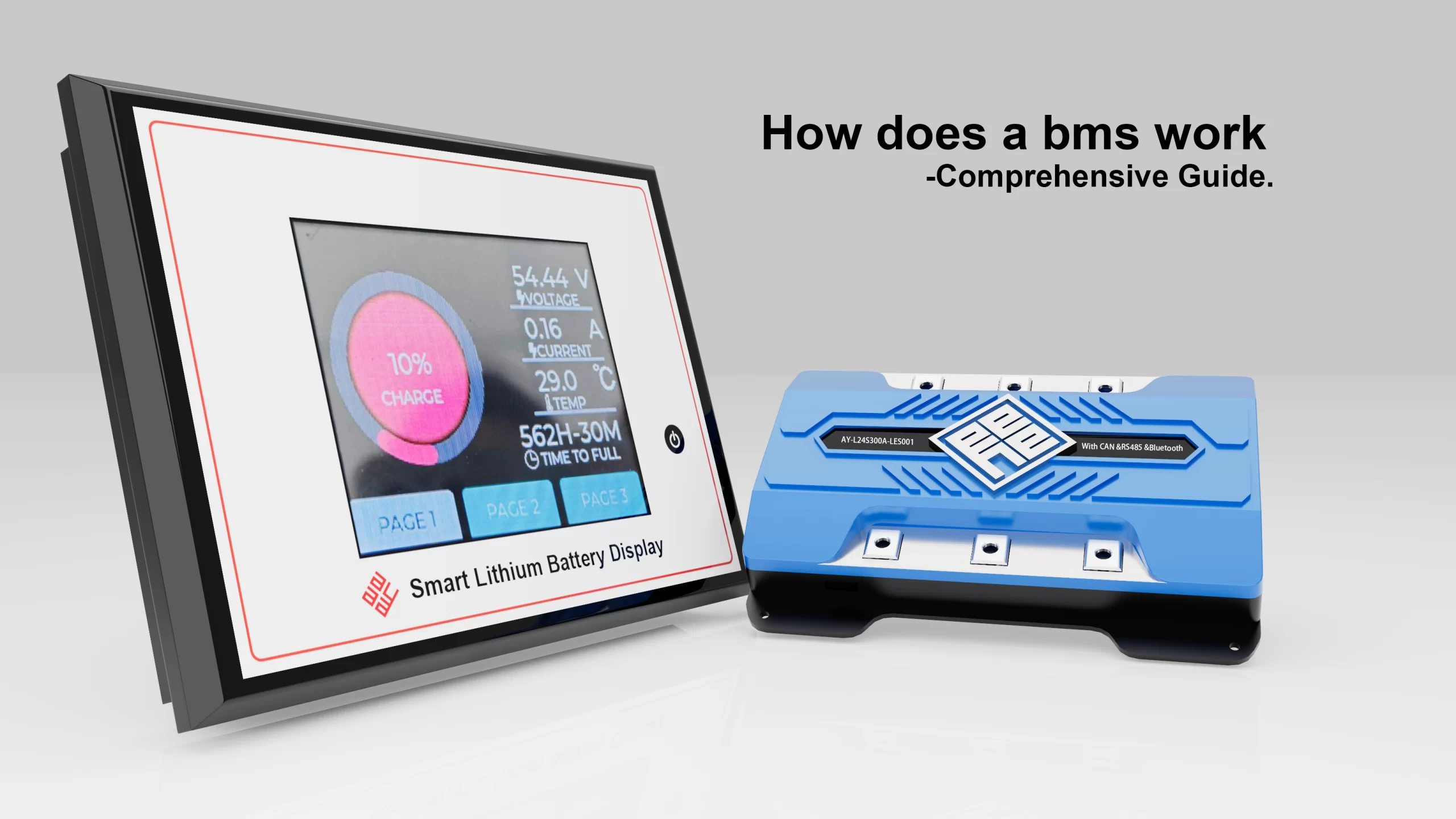
Understanding how the bat BMS app works requires analyzing the system’s low-power radio communication layer. The battery management system hardware continuously samples cell metrics using precise internal analog-to-digital converters. The onboard microcontroller gathers these values. It then pushes raw data packets directly to an integrated Bluetooth Low Energy transceiver module.
The mobile application captures these wireless advertising packets continuously. The software decodes the hex string data into readable system metrics. Technicians see the real-time state of charge, cumulative cycle life, and thermal profiles instantly. Keeping individual cell voltage deviations below 20 millivolts protects battery health. The app displays these individual values in a simple structural grid.

| Protocol Architecture | Physical Layer | Effective Range | Encryption Support | Industrial Target Application |
|---|---|---|---|---|
| Bat-BMS Telemetry | BLE (Bluetooth Wireless) | 10 – 15 Meters | Weak / Factory Default | Light Commercial Fleet / Consumer EV |
| SMBus Framework | Two-Wire Wired Bus | Internal System (< 2 Meters) | Hardware Governed | Portable Storage / Enterprise Robotics |
| CAN 2.0B Protocol | Differential Wired Bus | Up to 40 Meters | Hardware Layer Redundancy | Heavy Logistics Forklifts / E-Mobility |
| DroneCAN standard | Differential Wired Bus | Up to 40 Meters | Encrypted Node Validation | Enterprise Fixed-Wing & Multi-Rotor UAVs |
Unencrypted software commands route directly to the core gate drivers of your protection circuit. If a malicious actor sends an unauthenticated discharge cutoff code, the MOSFET array opens instantly under load. This design flaw bypasses physical vehicle safety overrides, creating a high-risk failure point.
Commercial Risks and Corporate Bat BMS App Use
Procurement officers must evaluate long-term compliance factors when managing enterprise bat bms app use protocols. Standard mobile applications often fail to meet strict industrial safety requirements like the IEC 62619 specification. If an application is delisted from public app stores, field maintenance operations face immediate service disruption.
For commercial grid-tied deployments, field engineers reject open wireless connections. Managing complex peak-shaving routines requires absolute data; peak-shaving energy density storage banks must use shielded, physical communication links. Hardwired configurations protect internal control loops against external signal jamming. This layout keeps cells safely isolated from conditions that induce thermal runaway.

Field Maintenance: How to Use Bat BMS Hardware
Learning how to use bat BMS architectures effectively requires mastering field recovery procedures. When a lithium pack drops below its absolute low-voltage cutoff, the internal protection circuit opens the discharge loop. The terminal voltage reads zero volts. The Bluetooth terminal shuts down to conserve the remaining cell capacity.
To restore the system, technicians must apply a voltage pulse using a specialized activation charger. This action reboots the central microcontroller. The internal radio begins broadcasting again, letting the app re-establish a live connection. Do not adjust maximum over-current safety limits while cells are in a recovery overcurrent discharge event.
Hardcore Technical Troubleshooting (FAQ)
What is the standard passcode for the system, and how do I change it?
The out-of-the-box pairing password is 1234. To alter it, access the parameter configuration tab inside the software interface. You must input the master manufacturer-level password to gain write access. Omanufacturer-levelash a new custom security PIN to the system memory to block unauthorized local connections.
Why does the communication terminal report a connection timeout error?
Connection drops typically point to operating system restriction policies or localized signal blocks. Ensure your mobile terminal has active location permissions allowed for the app. High continuous current draw exceeding 50A through unshielded power cables can also generate heavy electromagnetic interference. Reroute the internal wireless antenna away from the main phase lines to eliminate packet drops.
How do I check individual cell balancing status on the main dashboard?
Open the detailed telemetry screen to view the live voltage grid. The software tracks every cell channel in series, such as Cell 1 through Cell 14 on standard high-voltage drone packs. Calculate the absolute deviation by subtracting the lowest cell voltage from the highest value. If this balance delta exceeds 30 millivolts, manually lower the active balancing start threshold to trigger normalization.
Can a local wireless user shut down my operational payload remotely?
Yes. If the default wireless credentials are left active, any matching application within a 15-meter radio radius can link with your battery. Once connected, an unauthorized operator can toggle the primary discharge switch off. This commands the onboard processor to cut gate voltage to the protection MOSFETs, stopping current flow instantly.
How do I wake up a smart battery system that reads zero volts at the terminals?
When deep cell depletion triggers under-voltage protection, the internal hardware drops into a low-power sleep mode. To wake up the microcontroller, connect a compatible power supply to deliver a brief charging current pulse. Once the internal cell voltage rises past the safe recovery threshold, the board enables the wireless module automatically.
Industrial & Open-Source References
- IEC 62619 Industrial Safety Standard: Safety requirements for secondary lithium cells and battery systems in industrial environments.
- DroneCAN Bus Specification: Open-source CAN bus protocol standards for automated flight controller and smart peripheral device communication.
- System Management Bus (SMBus) Documentation: Technical structural architecture for low-power two-wire battery telemetry networks.